
Security Research

Moriel Harush
|
|
Reading Time:
5
min
LinkedIn is currently being called out for silently sniffing your browser extensions.
The uncomfortable truth? The same technique is how attackers pick their next victim. Over the past few weeks, a surge of reports across professional networks has spotlighted a growing concern: Digital Fingerprinting via Browser Extensions. Platforms have been observed probing users' browsers to detect which extensions are installed. On the surface, this is framed as "user experience optimization". In reality, it is a sophisticated method of data collection - by identifying the tools a user has installed, whether recruitment scripts, ad-blockers, or financial utilities, platforms can construct a disturbingly granular profile of a user's professional and personal digital life. But from a cybersecurity perspective, this trend signals a much more clinical and immediate danger.
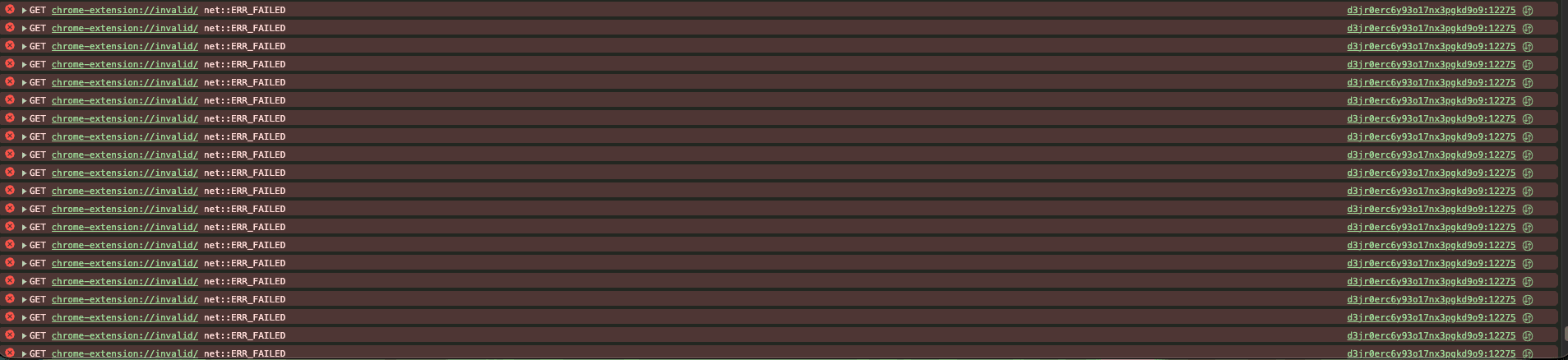
Appendix 1 - Linkedin’s Digital Fingerprinting
From Data Collection to Active Exploitation
While today’s discussion focuses on LinkedIn’s data collection practices, the technical mechanism behind it “Extension Enumeration” is a bridge to a far more malicious frontier.
The logic is simple: if a malicious website can detect which extensions you are running, it can cross-reference your browser’s "inventory" against a database of known or new unpatched vulnerabilities. Once a match is found, an attacker can move from passive fingerprinting to active exploitation.
To demonstrate the gravity of this threat, our research team recently analyzed a high-severity vulnerability in Todoist for Chrome (CVE pending assignment), a productivity extension trusted by millions of users.
Technical Case Study: Tab Hijacking in Todoist
Imagine a user visiting a seemingly benign website. While the user engages with the content, a background script performs a "roll call" of the browser’s extensions. Upon detecting an outdated version of Todoist (v12.21.3 or lower), the site can execute a silent attack.
Without any user interaction, the user’s active tab, perhaps a sensitive corporate portal or a financial dashboard is forcibly navigated to a malicious URL.
Proof of Concept
If the victim doesn't have the extension, DevTools throws the same harmless-looking errors you'd see browsing LinkedIn. The difference? We're not profiling - we're enumerating targets for vulnerabilities.
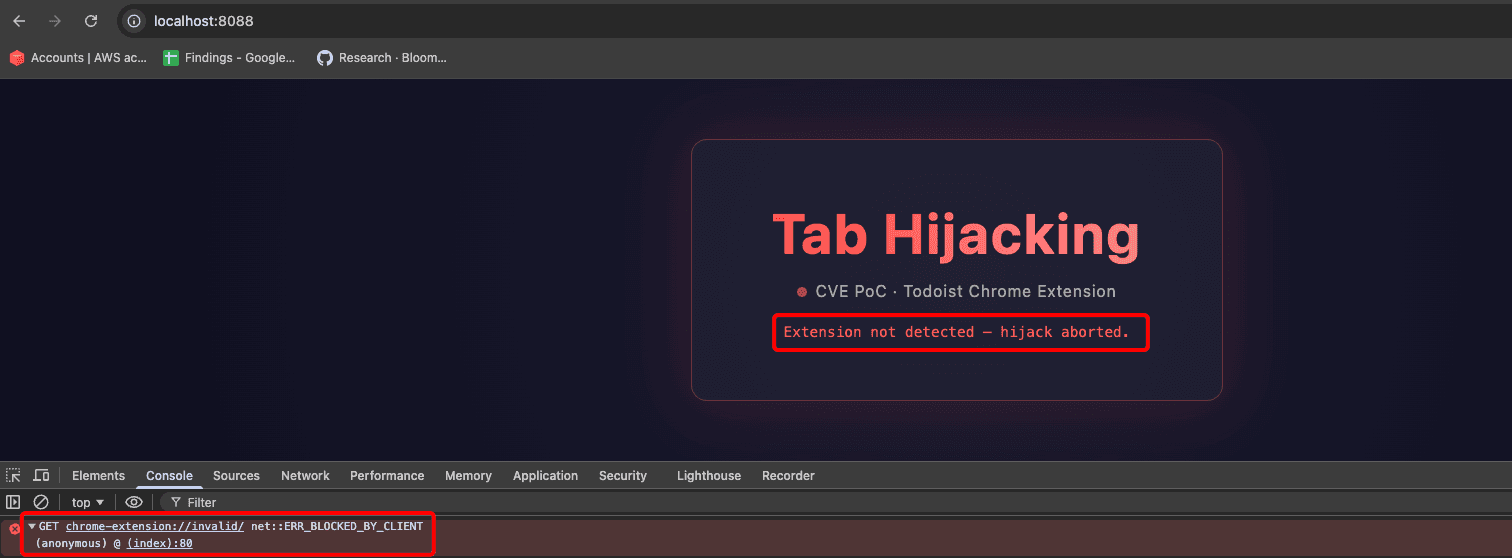
Appendix 2 - Attacker’s Enumeration
But the moment the victim has the extension installed - the tab hijack fires instantly. A single postMessage from a hidden iframe is all it takes.
The Anatomy of the Attack
The vulnerability (CWE-601) stems from a failure in how the extension handles inter-process communication. The extension was designed to "listen" for instructions, but it lacked the necessary gatekeeping to verify the sender.
Three critical security failures converged here:
Lack of Origin Validation: The extension’s message listener did not verify where a message originated.
Web-Accessible Resources: The extension’s internal popup page was declared as a web-accessible resource, making it reachable by any website on the internet.
Unprotected Command Primitives: The logic included a command, SWITCH_URL, which instructed the browser to update the active tab’s URL without any allow-list or protocol verification.
The vulnerable logic observed:
The Impact: Trust Laundering
An attacker does not need to compromise the extension provider's infrastructure to exploit this. By simply embedding a hidden iframe on a malicious page, a postMessage can be sent directly to the extension:
"Direct the user's active tab to https://phishing.com."
Because the command originates from a "trusted" installed extension, it bypasses traditional browser security heuristics. This is a classic case of Trust Laundering, where an attacker weaponizes a user’s own trusted tools to perform malicious actions.
Strategic Implications for the Ecosystem
The recent LinkedIn controversy is merely a symptom of a broader shift toward Extension-Aware Attacks.
For Organizations and Users:
Browser extensions are privileged citizens of the digital workspace. They often have broad permissions to read site data and manage browser tabs. Every extension adds to the organization's attack surface. We recommend a "Zero Trust" approach to browser add-ons: if an extension is not vital to the workflow, it should be removed.
For Developers:
A "web-accessible" resource is a public-facing entry point. If your extension allows communication with web pages, it is imperative to:
Always validate event.origin to ensure only trusted domains can send commands.
Use strict URL parsing and allow-lists for any navigation commands.
Audit Manifest permissions to limit the exposure of internal extension components.
Responsible Disclosure
Following our discovery, we reported this vulnerability to the Doist security team on April 15, 2026. The vendor acknowledged the vulnerability and has since deployed a patch. Users of the Todoist Chrome extension should verify they are running a version later than 12.21.4 or later.
Conclusion
The transition from "tracking" to "hacking" is shorter than most users realize. As platforms continue to probe our browsers for data, they are inadvertently mapping out the vulnerabilities that attackers will use next.
The browser used to be a window. Today it's the wallet, the workspace, and if we're not careful - the weapon.